
Browser profile platform
Run browser profiles, teams and automation in one place
Browlix runs isolated browser profiles on your Windows and Ubuntu machines. Each profile has its own data, proxy and settings; your whole team manages, views remotely and automates them through the web, API, MCP and AI agents.
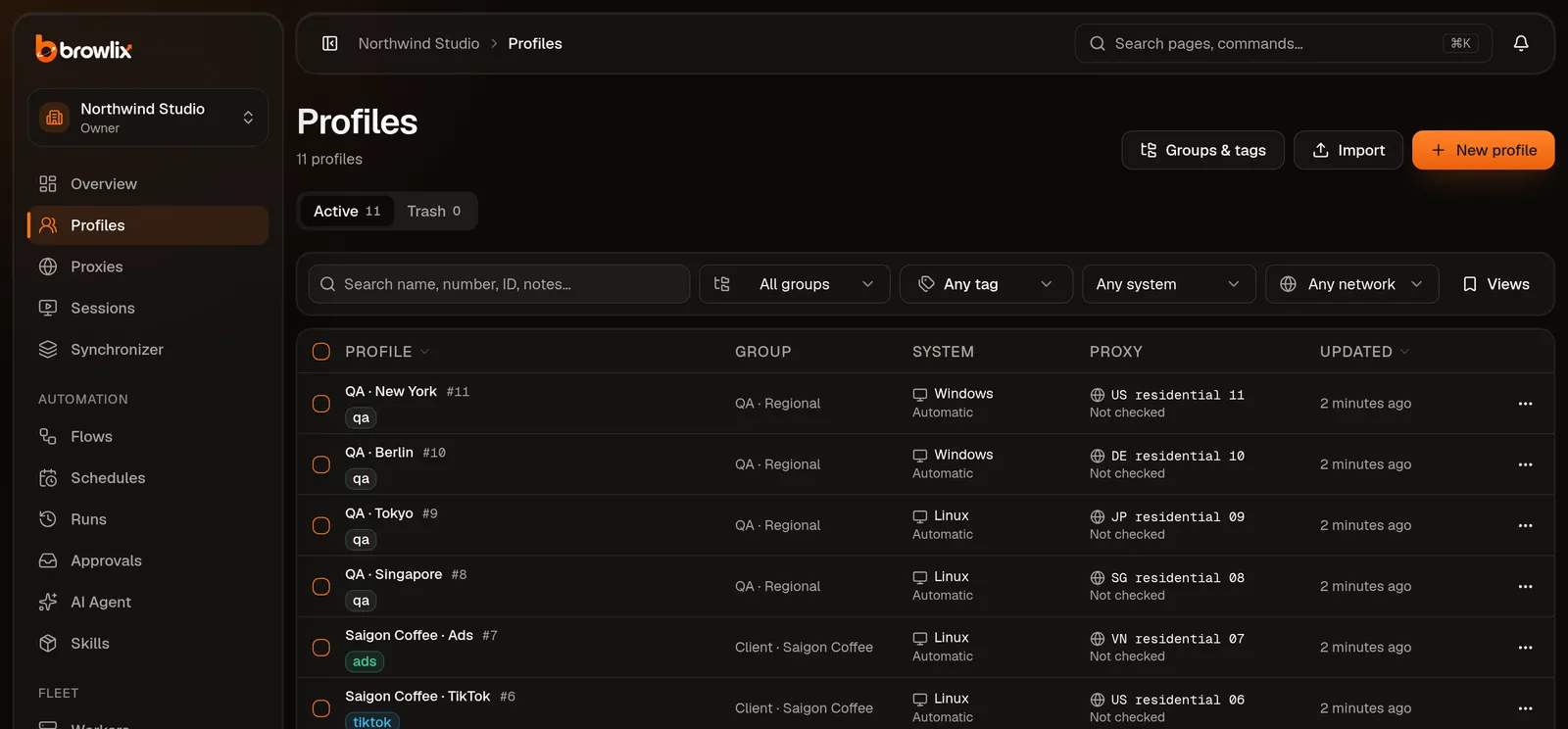
How it works
From a bare machine to a running browser in three steps
Connect a machine
Install the Browlix worker on a Windows or Ubuntu machine and pair it with your workspace using a one-time code.
Create profiles, attach proxies
Create profiles by hand, from a CSV file or through the API. Each profile gets a proxy and settings that are validated before launch.
Open, watch and automate
Open a profile on the chosen machine, watch it remotely on the web, run a flow or attach Playwright from your own code.
Capabilities
What operations teams need, with what ships today made clear
Every capability carries its real status — available, beta or planned — and its own page with the limitations.
- Learn more
Browser profiles
Each profile is its own browser, consistent with the machine running it.
- Learn more
Proxies
A proxy per profile, never a silent direct connection.
- Learn more
Teams & permissions
Workspaces, roles and logs for the whole team.
- Learn more
Remote view
Watch and control a page running on another machine.
- Learn more
Automation (RPA)
Drag-and-drop flows, scheduled and run across profiles.
- Learn more
Synchronizer
One action, many profiles follow.
- Learn more
AI Agent
Describe the task, approve risky actions first.
- Learn more
API, MCP, CLI and SDK share one catalog
REST with OpenAPI 3.1, authenticated with scoped API keys.
Identity consistency
Expected settings, next to what the browser actually uses
On every launch the machine reports each setting back: applied, unsupported or failed. The dashboard never says “protected” when the browser did not apply it.
| Setting | Expected | Observed | Applied |
|---|---|---|---|
| Timezone | Asia/Ho_Chi_Minh | Asia/Ho_Chi_Minh | |
| Language | vi-VN | vi-VN | |
| Screen | 1920 × 1080 | 1920 × 1080 | |
| WebRTC | Proxy only | Proxy only | |
| Custom fonts | Noto Sans | From machine |
Teams
Share the work across the team, keep permissions on the server
Invite members and assign roles for the whole workspace or specific profile groups. The web app, API, MCP and workers all ask the same permission check.
- Four roles: Owner, Admin, Operator, Viewer
- Permissions per profile group; proxy passwords stay hidden from those without access
- Enforce two-factor authentication for the whole workspace
- Append-only audit log with a receipt for every command
- Full access including ownership transfer and billing
- Manages members, security, fleet and all resources
- Creates, edits and runs profiles within granted scope
- Read-only within granted scope
For developers
API, MCP, CLI and SDK share one catalog
What you do on the web is also available through API v1 and an MCP server for AI agents. Docs, OpenAPI and the SDK are generated from the same source, so they never drift apart.
- API v1
- MCP server
- browlix CLI
- TypeScript SDK
# List profiles
curl https://browlix.com/api/public/v1/profiles \
  -H "Authorization: Bearer $BROWLIX_API_KEY"

# MCP
https://browlix.com/api/public/mcp
Built for
Legitimate work that needs many isolated browsers
Agencies managing authorized accounts
One profile group per client, permissions per group, a log of who did what.
Regional and language testing
Open the same page with different proxies, languages and timezones to check content and ads.
E-commerce operations
Manage several stores you own, each in a profile with its own data.
Internal automation and AI agents
Drag-and-drop flows, schedules, or let an AI agent handle repetitive work under your approval.
Browlix is not for fraud, impersonation, spam or getting around identity verification.Read the acceptable use policy
Trust
Clear about what is done and what is not
- No “undetectable” promise — just consistent settings and honest reporting
- Secrets live in a separate vault and are released only to the command that needs them
- Sync is encrypted with a workspace key Browlix manages — not end-to-end encryption
- No independent audit yet; the Windows build is not code-signed
Frequently asked questions
Does Browlix make me “undetectable”?
No tool can guarantee that, and Browlix does not promise it. Browlix keeps each profile's settings consistent with the machine it runs on, gives every profile its own proxy and reports honestly which settings could not be applied.
Which machines does Browlix run on?
The worker supports Windows and Ubuntu on x86_64. You manage everything from a web browser; a desktop app is in preparation.
How much does it cost?
Browlix is in early access, with no charges and no billing yet. Prices will be published on the Pricing page before any charging begins.
Where is profile data stored?
Browser data stays on the machine that runs it. If you turn on sync, data is encrypted with your workspace key, which Browlix manages, before upload; this is not end-to-end encryption.
Can I move over from AdsPower?
The worker can optionally expose a local API compatible with part of the AdsPower Local API to make migration easier. The docs list exactly which parts are supported.
Ready to try Browlix?
Create a workspace, pair a machine and open your first profile in a few minutes.